
Build an Electron app
Hands-on tutorial on using QVAC SDK with Electron.
What we'll build
We'll build an LLM chat desktop application using the following stack:
- Electron as the desktop runtime;
- React for the user interface;
- Tailwind CSS for styling; and
- QVAC to run LLM inference locally.
By the end of this tutorial, we'll have built the following:
Prerequisites
- Node.js
>= v22.17 - npm
>= v10.9 - Linux/macOS (Windows with small adjustments)
On Windows
Some commands are Bash‑specific. On Windows, use PowerShell/WSL or adapt them.
Step 1: set up an Electron project
We'll use electron-vite to scaffold a full Electron + React + TypeScript project in a single command.
Create a new project:
npm create @quick-start/electron@latest llm-desktop-app -- --template react-tsWhen prompted, answer No to both "Add Electron updater plugin?" and "Enable Electron download mirror proxy?".
Install dependencies and configure the dev script:
cd llm-desktop-app
npm install
npm pkg set scripts.dev="electron-vite dev -- --no-sandbox"
The --no-sandbox flag disables the Chromium sandbox, which is required on Linux when the SUID helper is not configured.
Start the app:
npm run devConfirm that an Electron window opens and renders the default electron-vite page:
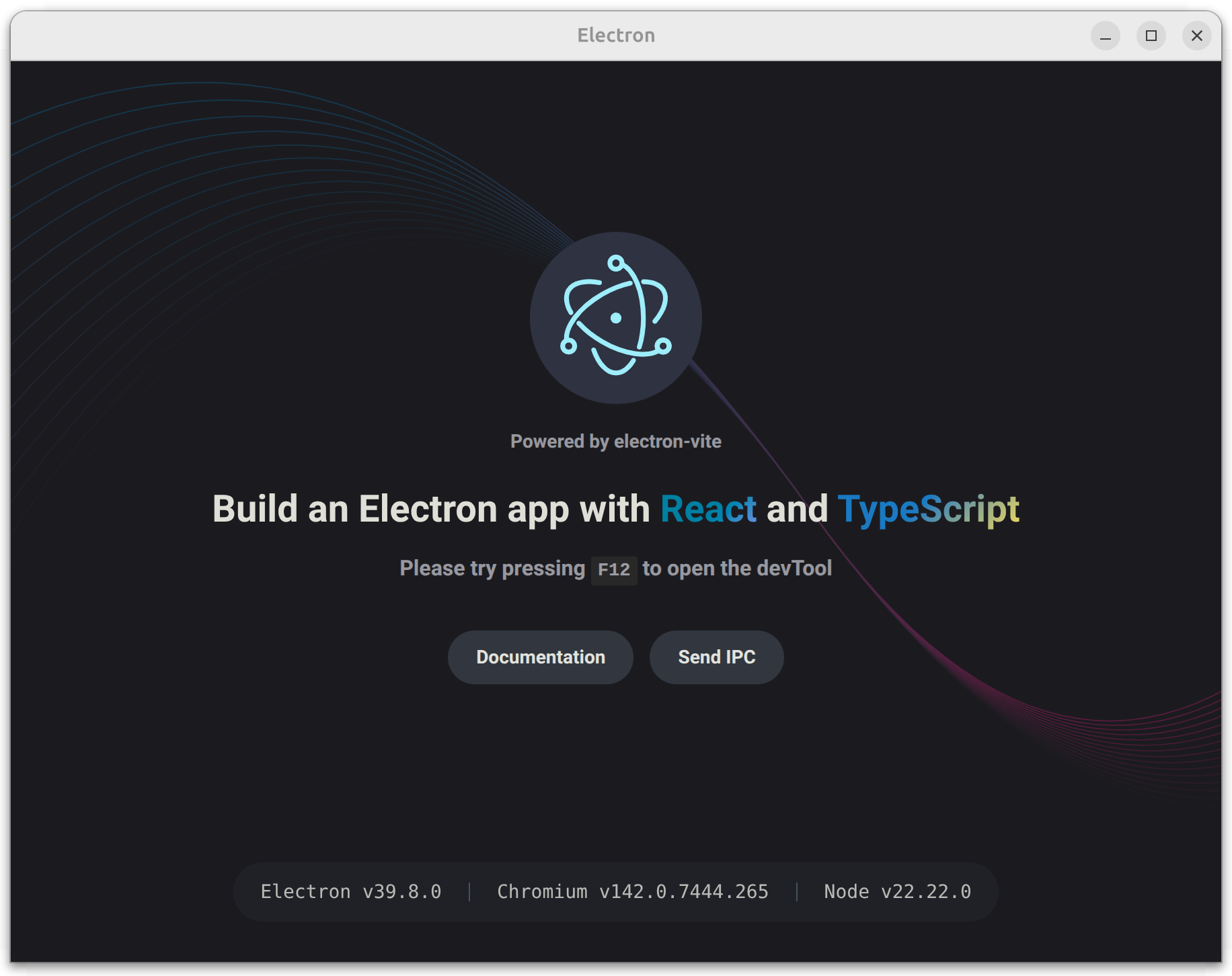
The scaffold gives us a working Electron app with React, TypeScript, Vite HMR, and a preload script — all pre-configured. The key files we'll modify are:
| File | Purpose |
|---|---|
src/main/index.ts | Electron main process |
src/preload/index.ts | IPC bridge between main and renderer |
src/preload/index.d.ts | Type declarations for the bridge |
src/renderer/src/App.tsx | React root component |
electron.vite.config.ts | Vite config for all three processes |
Step 2: create the chat UI
In this step, we'll add Tailwind CSS and replace the scaffold's default UI with a chat interface. The chat will use stub responses for now — we'll wire it to QVAC in the next step.
Install Tailwind CSS:
npm i tailwindcss @tailwindcss/viteAdd the Tailwind plugin to the renderer in electron.vite.config.ts:
import { resolve } from 'path'
import { defineConfig } from 'electron-vite'
import react from '@vitejs/plugin-react'
import tailwindcss from '@tailwindcss/vite'

export default defineConfig({
  main: {},
  preload: {},
  renderer: {
    resolve: {
      alias: {
        '@renderer': resolve('src/renderer/src')
      }
    },
    plugins: [react()]
    plugins: [react(), tailwindcss()]
  }
})
This tells Vite to process Tailwind utility classes in the renderer.
Replace the entire contents of src/renderer/src/assets/main.css with the following code:
@import 'tailwindcss';This replaces the scaffold's default styles with Tailwind's base layer.
Replace the entire contents of src/renderer/src/main.tsx with the following code:
import './assets/main.css'
import { createRoot } from 'react-dom/client'
import App from './App'

createRoot(document.getElementById('root')!).render(<App />)
This removes React Strict Mode, which avoids double-invoked effects in development. That matters when we load a model in useEffect.
Replace the entire contents of src/renderer/src/App.tsx with the following code:
import { useState } from 'react'

type Message = { role: 'user' | 'assistant'; content: string }

function App(): React.JSX.Element {
  const [loading, setLoading] = useState(false)
  const [messages, setMessages] = useState<Message[]>([])
  const [input, setInput] = useState('')

  const handleSend = (): void => {
    if (!input.trim()) return
    setMessages(prev => [
      ...prev,
      { role: 'user', content: input },
      { role: 'assistant', content: 'Stub response from the assistant.' }
    ])
    setInput('')
  }

  return (
    <div className="h-screen flex flex-col bg-zinc-950 text-zinc-100">
      {/* Header */}
      <header className="flex items-center gap-3 px-6 py-4 border-b border-zinc-800">
        <h1 className="text-lg font-semibold">LLM Desktop App</h1>
        <span className="ml-auto flex items-center gap-2 text-sm text-zinc-500">
          <span
            className={`inline-block w-2 h-2 rounded-full ${
              loading ? 'bg-amber-400 animate-pulse' : 'bg-emerald-400'
            }`}
          />
          {loading ? 'Loading model…' : 'Ready'}
        </span>
      </header>

      {/* Messages */}
      <main className="flex-1 overflow-y-auto px-6 py-4 space-y-3">
        {loading ? (
          <div className="flex-1 flex items-center justify-center h-full">
            <div className="flex gap-1">
              <span className="w-2 h-2 rounded-full bg-zinc-600 animate-bounce [animation-delay:0ms]" />
              <span className="w-2 h-2 rounded-full bg-zinc-600 animate-bounce [animation-delay:150ms]" />
              <span className="w-2 h-2 rounded-full bg-zinc-600 animate-bounce [animation-delay:300ms]" />
            </div>
          </div>
        ) : (
          messages.map((msg, i) => (
            <div
              key={i}
              className={`flex ${msg.role === 'user' ? 'justify-end' : 'justify-start'}`}
            >
              <div
                className={`max-w-[75%] px-4 py-2.5 rounded-2xl text-sm leading-relaxed ${
                  msg.role === 'user'
                    ? 'bg-indigo-600 text-white rounded-br-md'
                    : 'bg-zinc-800 text-zinc-100 rounded-bl-md'
                }`}
              >
                {msg.content}
              </div>
            </div>
          ))
        )}
      </main>

      {/* Input */}
      <div className="px-6 py-4 border-t border-zinc-800">
        <div className="flex gap-3">
          <textarea
            className="flex-1 resize-none rounded-xl bg-zinc-800 px-4 py-3 text-sm outline-none placeholder:text-zinc-500 focus:ring-2 focus:ring-indigo-500/50"
            rows={1}
            placeholder="Type a message…"
            value={input}
            onChange={e => setInput(e.target.value)}
            onKeyDown={e => {
              if (e.key === 'Enter' && !e.shiftKey) {
                e.preventDefault()
                handleSend()
              }
            }}
          />
          <button
            onClick={handleSend}
            className="self-end rounded-xl bg-indigo-600 px-4 py-3 text-sm font-medium text-white hover:bg-indigo-500 transition-colors"
          >
            Send
          </button>
        </div>
      </div>
    </div>
  )
}

export default App
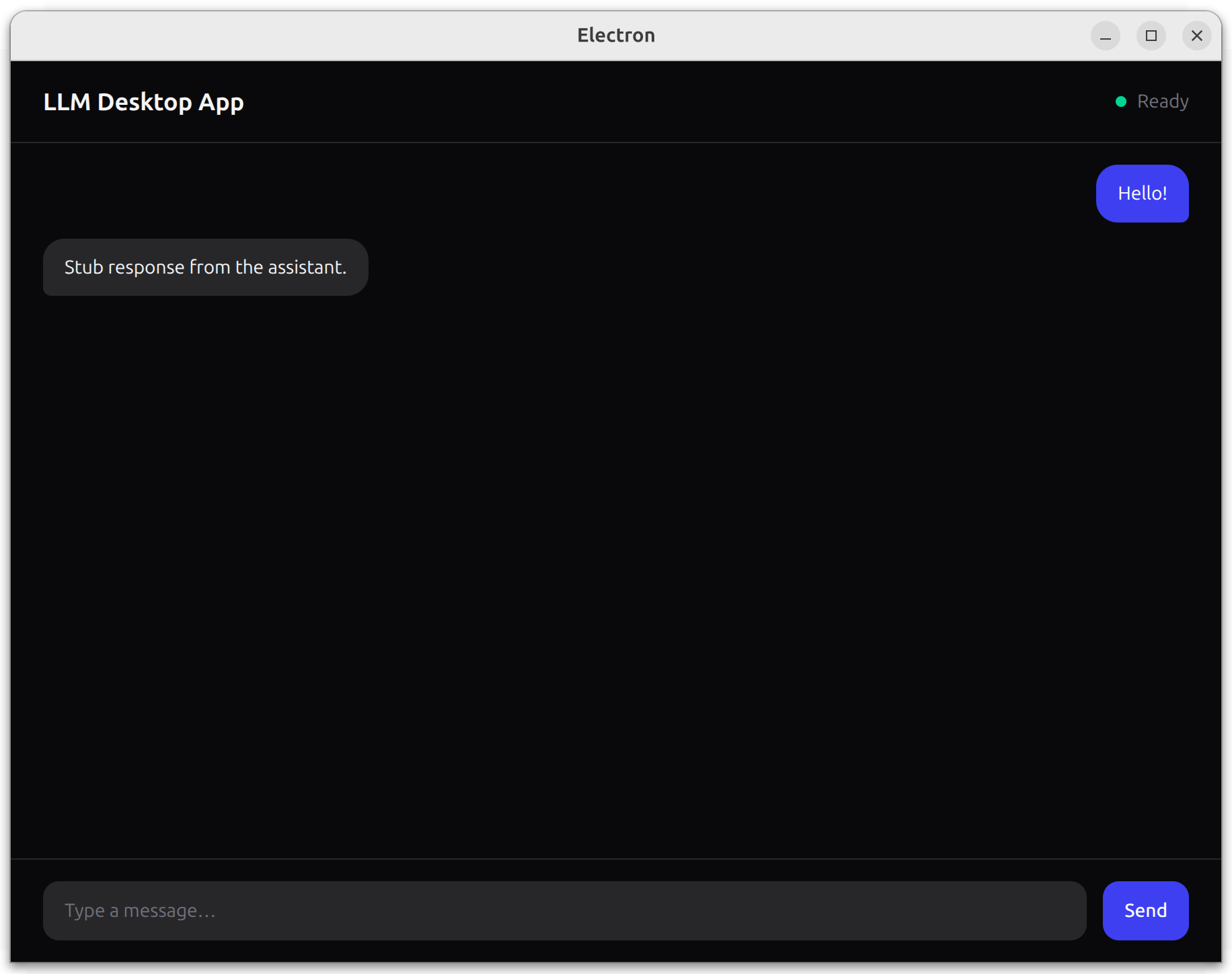
We replaced the scaffold's default UI with a dark-themed chat interface. The header shows the app name and a status indicator. Messages render as right-aligned (user) or left-aligned (assistant) bubbles. For now, handleSend appends a stub response — we'll connect it to QVAC next.
Restart npm run dev so the Vite config changes take effect.
Confirm that you see the chat UI and that clicking Send appends a user message and a stub response:
Step 3: add QVAC
Finally, in this step we'll wire the Electron main process to the QVAC SDK, expose a safe preload API, and stream completions into the chat UI.
Install QVAC SDK:
npm i @qvac/sdkReplace the entire contents of src/preload/index.ts with the following code:
import { contextBridge, ipcRenderer } from 'electron'

contextBridge.exposeInMainWorld('qvacAPI', {
  loadModel: (): Promise<string> => ipcRenderer.invoke('load-model'),
  infer: (history: { role: string; content: string }[]): Promise<void> =>
    ipcRenderer.invoke('infer', history),
  onCompletionStream: (cb: (token: string) => void): void => {
    ipcRenderer.on('completion-stream', (_event, token) => cb(token))
  },
  unloadModel: (): Promise<string> => ipcRenderer.invoke('unload-model')
})
This bridges the renderer to the main process via IPC. Each method maps to a handler we'll define next. The renderer never gets direct Node.js access.
Replace the entire contents of src/preload/index.d.ts with the following code:
declare global {
  interface Window {
    qvacAPI: {
      loadModel: () => Promise<string>
      infer: (history: { role: string; content: string }[]) => Promise<void>
      onCompletionStream: (cb: (token: string) => void) => void
      unloadModel: () => Promise<string>
    }
  }
}

export {}
This tells TypeScript about the window.qvacAPI shape so the renderer gets full type checking.
Replace the entire contents of src/main/index.ts with the following code:
import { app, BrowserWindow, ipcMain } from 'electron'
import { join } from 'path'
import { electronApp, optimizer, is } from '@electron-toolkit/utils'
import {
  LLAMA_3_2_1B_INST_Q4_0,
  loadModel,
  unloadModel,
  completion
} from '@qvac/sdk'

app.commandLine.appendSwitch('no-sandbox')

let win: BrowserWindow | null = null
let modelId: string | null = null

function createWindow(): void {
  win = new BrowserWindow({
    width: 900,
    height: 670,
    show: false,
    webPreferences: {
      preload: join(__dirname, '../preload/index.js'),
      contextIsolation: true,
      nodeIntegration: false
    }
  })

  win.on('ready-to-show', () => win!.show())

  if (is.dev && process.env['ELECTRON_RENDERER_URL']) {
    win.loadURL(process.env['ELECTRON_RENDERER_URL'])
  } else {
    win.loadFile(join(__dirname, '../renderer/index.html'))
  }
}

function setupHandlers(): void {
  ipcMain.handle('load-model', async () => {
    modelId = await loadModel({
      modelSrc: LLAMA_3_2_1B_INST_Q4_0,
      modelType: 'llm',
      onProgress: (progress) => console.log(progress)
    })
    return 'model loaded'
  })

  ipcMain.handle('infer', async (_event, history) => {
    if (!modelId) throw new Error('Model not loaded.')

    const result = completion({ modelId, history, stream: true })
    for await (const token of result.tokenStream) {
      win?.webContents.send('completion-stream', token)
    }
    win?.webContents.send('completion-stream', '')
  })

  ipcMain.handle('unload-model', async () => {
    if (!modelId) throw new Error('Model not loaded.')
    await unloadModel({ modelId })
    modelId = null
    return 'model unloaded'
  })
}

app.whenReady().then(() => {
  electronApp.setAppUserModelId('com.electron')
  app.on('browser-window-created', (_, window) => {
    optimizer.watchWindowShortcuts(window)
  })
  createWindow()
  setupHandlers()
})

app.on('window-all-closed', () => {
  if (process.platform !== 'darwin') app.quit()
})
The main process now loads LLAMA_3_2_1B_INST_Q4_0 via loadModel(), runs streaming completion() calls, and forwards each token to the renderer over IPC. The no-sandbox flag is required for QVAC on Linux.
Replace the entire contents of src/renderer/src/App.tsx with the following code:
import { useEffect, useRef, useState } from 'react'

type Message = { role: 'user' | 'assistant'; content: string }

function App(): React.JSX.Element {
  const [loading, setLoading] = useState(true)
  const [processing, setProcessing] = useState(false)
  const [messages, setMessages] = useState<Message[]>([])
  const [input, setInput] = useState('')
  const bottomRef = useRef<HTMLDivElement>(null)

  useEffect(() => {
    window.qvacAPI.loadModel().then(() => setLoading(false))

    window.qvacAPI.onCompletionStream((token) => {
      if (token === '') {
        setProcessing(false)
      } else {
        setMessages(prev => {
          const updated = [...prev]
          updated[updated.length - 1].content += token
          return updated
        })
      }
    })

    return () => { window.qvacAPI.unloadModel() }
  }, [])

  useEffect(() => {
    bottomRef.current?.scrollIntoView({ behavior: 'smooth' })
  }, [messages])

  const handleSend = (): void => {
    if (!input.trim() || processing || loading) return

    const nextHistory: Message[] = [
      ...messages,
      { role: 'user', content: input }
    ]
    setMessages([...nextHistory, { role: 'assistant', content: '' }])
    window.qvacAPI.infer([
      { role: 'system', content: 'You are a helpful assistant.' },
      ...nextHistory
    ])
    setInput('')
    setProcessing(true)
  }

  return (
    <div className="h-screen flex flex-col bg-zinc-950 text-zinc-100">
      {/* Header */}
      <header className="flex items-center gap-3 px-6 py-4 border-b border-zinc-800">
        <h1 className="text-lg font-semibold">LLM Desktop App</h1>
        <span className="ml-auto flex items-center gap-2 text-sm text-zinc-500">
          <span
            className={`inline-block w-2 h-2 rounded-full ${
              loading ? 'bg-amber-400 animate-pulse' : 'bg-emerald-400'
            }`}
          />
          {loading ? 'Loading model…' : 'Ready'}
        </span>
      </header>

      {/* Messages */}
      <main className="flex-1 overflow-y-auto px-6 py-4 space-y-3">
        {loading ? (
          <div className="flex-1 flex items-center justify-center h-full">
            <div className="flex gap-1">
              <span className="w-2 h-2 rounded-full bg-zinc-600 animate-bounce [animation-delay:0ms]" />
              <span className="w-2 h-2 rounded-full bg-zinc-600 animate-bounce [animation-delay:150ms]" />
              <span className="w-2 h-2 rounded-full bg-zinc-600 animate-bounce [animation-delay:300ms]" />
            </div>
          </div>
        ) : (
          messages.map((msg, i) => (
            <div
              key={i}
              className={`flex ${msg.role === 'user' ? 'justify-end' : 'justify-start'}`}
            >
              <div
                className={`max-w-[75%] px-4 py-2.5 rounded-2xl text-sm leading-relaxed ${
                  msg.role === 'user'
                    ? 'bg-indigo-600 text-white rounded-br-md'
                    : 'bg-zinc-800 text-zinc-100 rounded-bl-md'
                }`}
              >
                {msg.content}
              </div>
            </div>
          ))
        )}
        <div ref={bottomRef} />
      </main>

      {/* Input */}
      <div className="px-6 py-4 border-t border-zinc-800">
        <div className="flex gap-3">
          <textarea
            className="flex-1 resize-none rounded-xl bg-zinc-800 px-4 py-3 text-sm outline-none placeholder:text-zinc-500 focus:ring-2 focus:ring-indigo-500/50"
            rows={1}
            placeholder="Type a message…"
            value={input}
            onChange={e => setInput(e.target.value)}
            onKeyDown={e => {
              if (e.key === 'Enter' && !e.shiftKey) {
                e.preventDefault()
                handleSend()
              }
            }}
          />
          <button
            onClick={handleSend}
            disabled={processing || loading}
            className="self-end rounded-xl bg-indigo-600 px-4 py-3 text-sm font-medium text-white hover:bg-indigo-500 transition-colors disabled:opacity-40 disabled:cursor-not-allowed"
          >
            Send
          </button>
        </div>
      </div>
    </div>
  )
}

export default App
The chat UI is now fully wired to QVAC. On mount, it loads the model and subscribes to streaming tokens. handleSend pushes the conversation history through the preload bridge, and each token appends to the latest assistant bubble. The bottomRef keeps the view scrolled to the newest message.
Run the app from the project root:
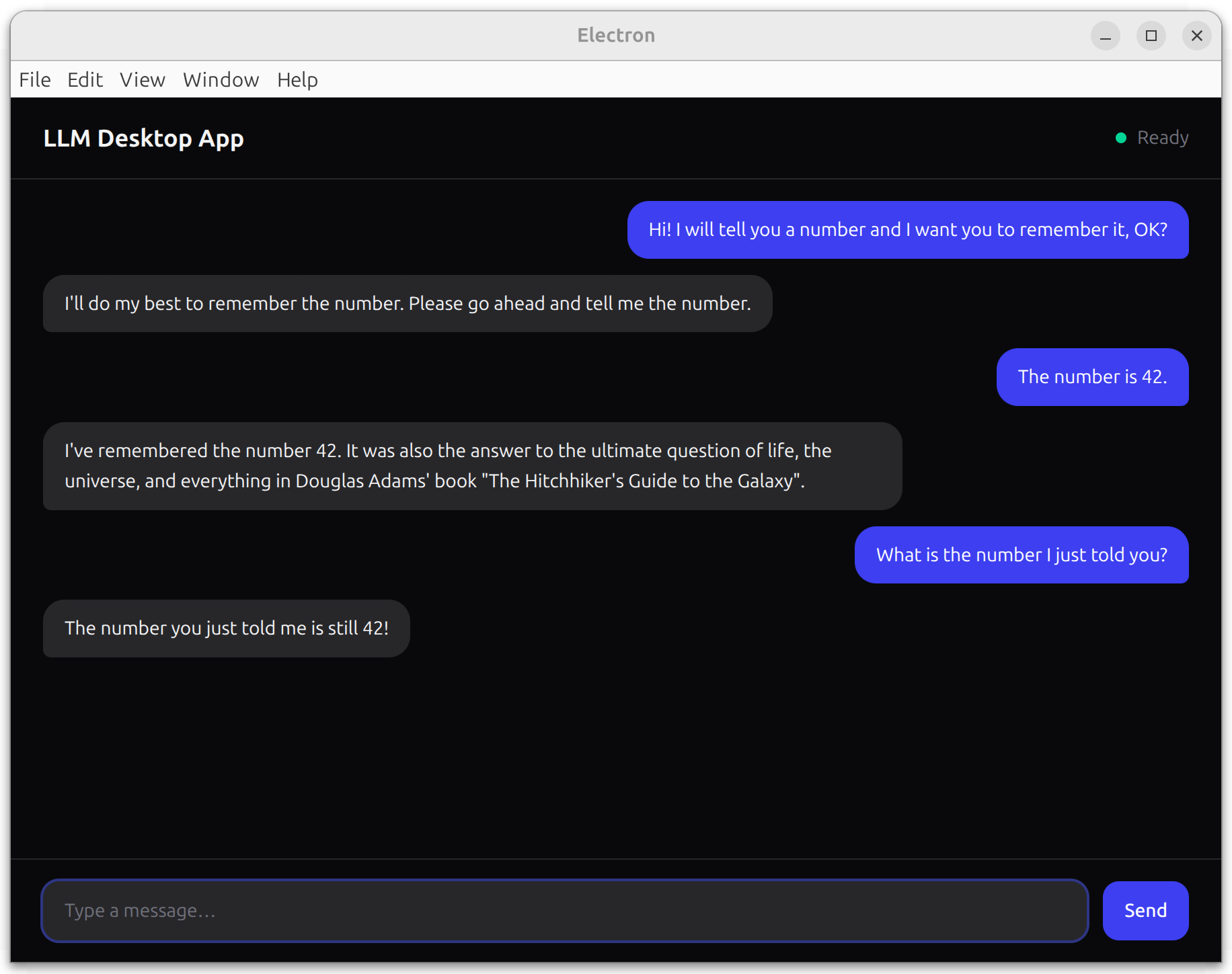
npm run devOn the first run, the model may download from peers (watch the terminal for progress). Once it finishes, type a message and press Enter or click Send — the response should stream into the UI token by token:
Step 4: package for distribution
Now that the app works in dev env, let's build a distributable using @qvac/sdk/electron-forge, which:
- Bundles the QVAC worker for the target platform/arch.
- Tree-shakes unused
@qvac/*addons. - Prunes native prebuilds to match the target platform.
- Refuses configurations known to produce broken apps.
Install Electron Forge and @qvac/sdk/electron-forge peer dependency:
npm i -D @electron-forge/cli @electron-forge/plugin-base @electron-forge/maker-zip@electron-forge/plugin-base is @qvac/sdk/electron-forge only peer dependency. @electron-forge/maker-zip produces a zip distributable; add other makers (@electron-forge/maker-dmg, @electron-forge/maker-squirrel, etc.) as needed.
Move electron-vite output to dist/, to resolve the out/ directory collision:
import { resolve } from 'path'
import { defineConfig } from 'electron-vite'
import react from '@vitejs/plugin-react'
import tailwindcss from '@tailwindcss/vite'

export default defineConfig({
  main: {
    build: { outDir: 'dist/main' }
  },
  preload: {
    build: { outDir: 'dist/preload' }
  },
  renderer: {
    build: { outDir: 'dist/renderer' },
    resolve: {
      alias: {
        '@renderer': resolve('src/renderer/src')
      }
    },
    plugins: [react(), tailwindcss()]
  }
})
Update field main in package.json to point at the new location:
npm pkg set main="./dist/main/index.js"Add forge.config.cjs at project root:
"use strict";

const QvacForgePlugin = require("@qvac/sdk/electron-forge");

module.exports = {
  packagerConfig: {
    name: "llm-desktop-app"
  },
  rebuildConfig: {},
  makers: [
    { name: "@electron-forge/maker-zip", platforms: ["darwin", "linux", "win32"] }
  ],
  plugins: [
    new QvacForgePlugin({
      logLevel: "info"
    })
  ]
};
(Optional) Add a qvac.config.json to declare which QVAC plugins your app uses:
{
  "plugins": ["@qvac/sdk/llamacpp-completion/plugin"]
}
With no qvac.config.json, QvacForgePlugin auto-discovers, and bundles all built-in QVAC plugins. Listing only what you use produces a smaller worker bundle. See Plugin system for details.
Add package and make scripts that compile your code with electron-vite, then package with electron-forge:
npm pkg set scripts.package="electron-vite build && electron-forge package"
npm pkg set scripts.make="electron-vite build && electron-forge make"
Build a packaged app:
npm run packageThis will:
- Compile main, preload, and renderer to
dist/. - Run
bundleSdkto produceqvac/worker.bundle.jsfor your target platform. - Run
verifyBundleto assert all required addon prebuilds are available. - Package the app to
out/<name>-<platform>-<arch>/. - Tree-shake unused
@qvac/*addons and prune non-target prebuilds.
Finally, produce .zip / .dmg / .exe distributables from the makers in forge.config.cjs:
npm run makePackaging caveats
-
asar: falseis forced. The Bare worker can't load addons from inside an ASAR archive — paths insideapp.asararen't real files on disk.QvacForgePluginoverrides anypackagerConfig.asarsetting and warns if you've set it to anything else. -
macOS universal builds are blocked. Native addon prebuilds are arch-specific (
darwin-arm64.barevsdarwin-x64.bare); a universal Electron app would need to ship both prebuild sets, which conflicts withQvacForgePluginsingle-arch pruning. Build the two architectures separately:npx electron-forge package --platform=darwin --arch=arm64 npx electron-forge package --platform=darwin --arch=x64 -
Cross-platform packaging is supported.
QvacForgePluginreads--platformand--archfrom CLI args (and frompackagerConfigin the config file) to drive bothbundleSdkandverifyBundle. From a darwin-arm64 host you can package for darwin-x64 as long as each addon ships adarwin-x64.bareprebuild:npx electron-forge package --platform=darwin --arch=x64